
Your files, connected.
Keep stock reads and custom tunes with the right customer, vehicle, and module. Everything stays organized in one place.
IN YOUR PORTALYour tuning business, organized.
Keep customer records, vehicles, and calibration files in one place. Deliver custom tunes through the Strata portal for customers to flash remotely using the Strata app.
Web portal Windows desktop app
01 / THE PLATFORM
Strata Tuning is vehicle tuning software for professional tuners. Organize customer vehicles and tune files, and manage module access in the web portal. The Windows desktop app connects that work to vehicle identification, supported reads, flashing, and diagnostics.
Keep stock reads and custom tunes with the right customer, vehicle, and module. Everything stays organized in one place.
IN YOUR PORTALLink customer accounts, see their identified vehicles, and manage access to the modules they need.
FOR YOUR CUSTOMERSCarry your work through a guided desktop workflow for vehicle identification, supported reads, flashing, and diagnostics.
AT THE VEHICLEFlash a 2018 Mercedes-AMG E 63 S with the Windows app’s real workflow, right here in your browser. Follow the glowing buttons; nothing connects to a real car.
02 / HARDWARE
Meet the Strata Wi-Fi Flasher. Wireless OBD flashing from your desktop, laptop, or mobile device.
$149 per device USD
Buy nowPlus shipping, added at Stripe checkout.
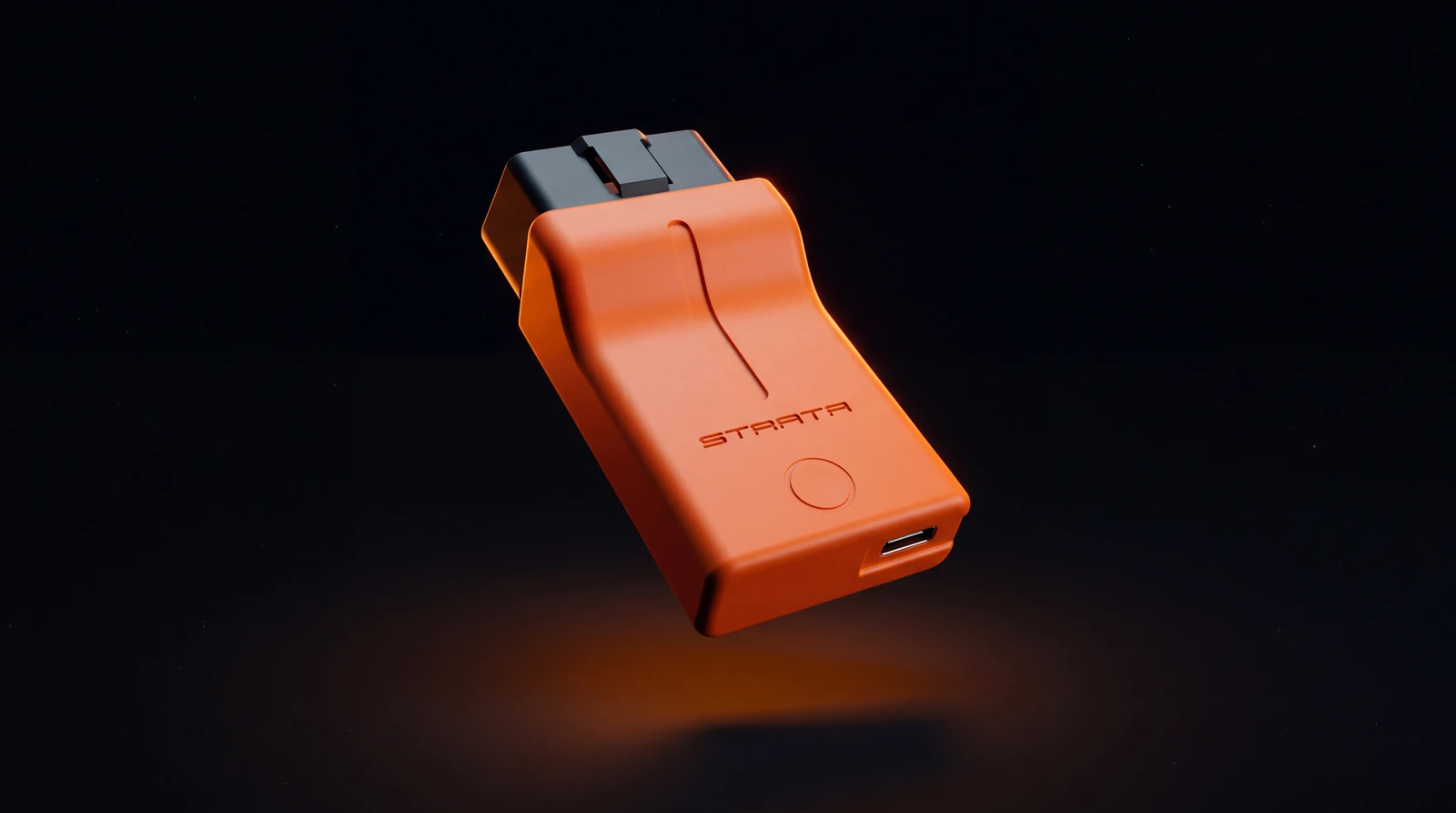
ECU, TCU and CPC flashing on supported vehicles See module support
Already have your flasher?
Get the STRATA J2534 pass-through setup for your Windows PC.
STRATA-J2534-Setup-1.0.8.exe
03 / MODULE SUPPORT
Engine, powertrain, and transmission workflows. Select a module to explore its vehicle coverage.
Contact support for access
Select a module to view vehicle lines, powertrain details and sample years.
04 / OUR TUNER NETWORK
Find a tuning business for your next project. Connect with tuners in your area or explore remote tuning services.
Are you a tuner? Join Our NetworkUse the arrow keys to turn the globe. Plus and minus zoom in and out, and 0 shows the whole globe. Markers on the side facing you are in the tab order; select one to see the tuners there and show its country in the directory. Selecting a numbered group zooms in until its places separate; where they cannot separate any further, it shows the tuners there.
Worldwide network
Drag to spin. Select a marker to see tuners there. A numbered marker may zoom in first. Zoom with + and −, a double-click or Ctrl + scroll.Swipe sideways to spin. Pinch or tap + to zoom in, then drag to explore. Tap a marker to see tuners there; a numbered one may zoom in first.
We couldn’t load tuning businesses. Please try again.
Try a different location or service, or clear your filters.
Swipe to explore
05 / GETTING STARTED
Sign in to the Strata Tuning web portal, or create an account from the sign-in page.
Link their accounts and bring their identified vehicles into your tuner workspace.
Arrange module access and upload your tune files. The Windows app takes the workflow through to the vehicle.
Still stuck? Sign in and open Help & 24/7 Support in either app.
Tuning software for professional tuners and their customers. On the website you manage customers, cars, credits and tune files. The Windows app connects to the car through a J2534 adapter to identify it, read its modules, flash tunes and run diagnostics.
Click Sign in, then Create Account. Enter your email and a password and click Send Verification Code. Type the 6-digit code from your email (it expires in 10 minutes, so check spam), click Verify & Create Account and choose your account type. You can't sign up inside the Windows app.
Choose Continue as Tuner if you run a tuning business: you buy credits, unlock cars, upload tunes and manage customers. Choose Continue as User if a tuner looks after your car: you read it and flash the tunes your tuner shares, but you can't download tune files or buy credits.
The choice is fixed once made; 24/7 Support can change it. The Windows app won't sign you in until you've chosen.
Sign in on your Windows PC, open Desktop App and click Download Installer. The app runs on Windows PCs only; the website works on phones and tablets.
The first time you sign in on a new PC, enter the one-time code we email you and click Confirm Desktop. An account can trust up to 5 PCs.
Mercedes-Benz / AMG, available now. Engine: MED17.7, MED17.7.5, MED17.7 V6 LA, MED40, MED40AMG and MED41. Transmission: VGS-NAG3, VGS4-NAG2, GS_AMG_DCT and TCM7FDCT. Powertrain: CPC-NG.
Aston Martin, available now. Engine: MED17.7.5. Transmission: VGS-NAG3. Powertrain: CPC-NG.
Lamborghini Aventador is available on request. More Mercedes-Benz modules and McLaren are coming soon. Click any module in the Modules section to see its vehicle lines.
The years shown for each module are a sample range, not a promise for a specific car. In the Windows app, connect your adapter, turn the ignition on with the engine off and click Read ID. It reads the VIN and identifies the car's CPC, ECU and TCU. Reading is free.
STRATA FLASHER (USB-C) and STRATA FLASHER WIFI; Tactrix OpenPort 2.0; Autel MaxiFlash Bluetooth, Elite/Pro, JVCI, JVCI+, LVCI, VCI and VCMI2; CarDAQ-Plus 3 and CarDAQ-Plus 2; MongoosePro Mercedes; Mongoose-Plus J2534; Bosch Mastertech VCI; Snap-on Pass Thru Pro IV; and Scanmatik SM3 USB.
Install the adapter's 32-bit J2534 driver; the Strata Tuning app is 32-bit. The Strata Tuning installer also installs the STRATA adapter driver (Windows asks for permission once).
A Windows PC with the app, a supported adapter with its 32-bit J2534 driver, a high-current programming power supply, a stable internet connection, and a car whose VIN a tuner has unlocked.
Connect a high-current programming power supply and keep it connected for the whole flash.
For CPC-NG, the engine ECUs, VGS-NAG3 and VGS4-NAG2, the Flash button stays off until the adapter reads 12.0 V or more in the last few seconds. GS_AMG_DCT needs three readings above 11.0 V with the engine off. They're taken when you read the TCU, so read it again after connecting the power supply, and they're checked again just before erasing. TCM7FDCT needs above 11.0 V with the engine off. It's checked when the flash starts and again just before erasing; at 11.0 V or lower it stops before anything is erased.
Yes, a stable connection from start to finish. If it drops before anything is written, the flash stops and nothing is written. If it drops after writing starts, keep everything connected and follow the screen: depending on the module, the flash finishes and confirms later, or asks for a recovery flash. Also leave Windows set to Set time automatically.
Only Tuner accounts buy credits, on the website Dashboard with Buy Credits. 100 credits unlock one car (one VIN) for one account, yours or one linked customer's, covering every supported module on it and repeat flashes.
Packs (USD): 100 credits $100, 600 credits $500, 1,300 credits $1,000 and 4,500 credits $3,000. Your Dashboard shows whether tax is added.
Yes. Read ID and Diagnostics (Scan Modules and Clear DTCs) never use credits and need no unlock. Manual fault-code scan and clear isn't available for GS_AMG_DCT or TCM7FDCT.
Once any credits from a pack have unlocked a car, the whole pack is non-refundable. Restoring access to the same car for the same customer later is free.
Your customer creates their own account and chooses Continue as User. In Users & Access, click Add User and enter the email they signed up with; no invitation is sent. They connect their car and click Read ID in the Windows app. The car then appears under their email, and you unlock it with Unlock vehicle · 100 credits. A customer can be linked to one tuner at a time.
On the website open Files, pick the customer under Assigned Users, then their car's unlocked module. Click Upload File, choose the .bin and upload it. The tune is tied to that customer, VIN and module, and they flash it from the Windows app. Each module has its own size limit, shown in the upload panel.
No. Customers flash the tunes you share with them in the Windows app, but they can't download or edit them. Tune files are stored encrypted.
Find one in the Tuner Directory on this page with View all tuners, or ask yours. Create an account, choose Continue as User and give your tuner the email you signed up with. Once they've added you, install the Windows app, connect to your car and click Read ID. Your tuner unlocks the car and shares your tune, and you flash it from the app.
A customer can have one tuner at a time. They leave in Settings › Connected Tuner, then the new tuner adds the same email. Access doesn't transfer automatically.
Sign in with your Tuner account and open Join Our Network. Fill in your business name, contact email, city, country and at least one service, tick both consent boxes and click Submit for Review. Your listing appears after Strata Tuning approves it; your contact name and email stay private.
The module only opens for the car you just read with Read ID, once its VIN is unlocked. Before writing, the app checks that the selected tune is approved for that exact module, that the battery passes the module's check, and that Strata Tuning approves the flash online. A CPC is read again automatically right before writing.
If a check fails, the flash doesn't start and nothing is written.
Follow the Before You Flash list on the Ready to Flash screen. Battery Support: a charger or power supply connected for the whole flash. Cable Check: OBD and J2534 cables secured. Vehicle Prep: ignition on, engine off, accessories off and doors closed. During the Flash: don't unplug the interface or power-cycle the car.
Leave the power supply and adapter connected and don't power-cycle the car. The app tells you what happened and what to do next; usually you read the module again. Some recoveries need a one-time approval from Strata Tuning staff, so keep that page open and online and contact 24/7 Support.
Strata Tuning's own updates and pop-ups can't. During a flash the app locks its pages and the Close button, stops the PC going to sleep while idle, and holds its update prompts and pop-ups until the flash finishes. Strata Tuning maintenance pauses only new work.
Windows itself can still restart for its updates, so pause Windows Update before you start, and don't close a laptop lid, sleep or shut down the PC until the flash finishes.
Open Help & 24/7 Support in the left menu of either app for guides for the screen you're on. To ask Strata Tuning, use its 24/7 Support tab: choose the app and issue type, describe the problem and click Submit Request. Replies show under My Requests in both apps.
No questions match. Try another word, or sign in and open Help & 24/7 Support.